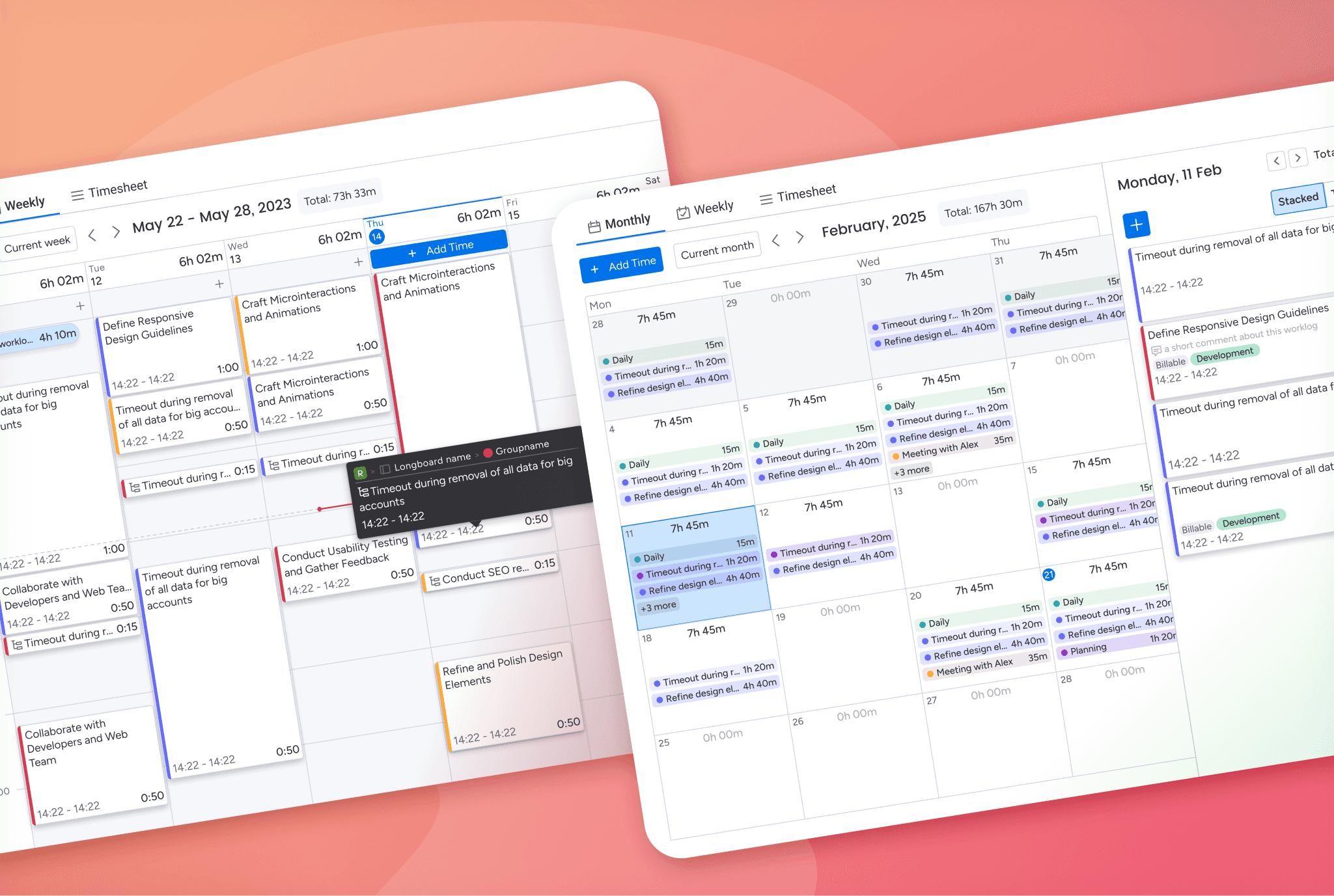
The problem
Teams needed a way to add meaningful context to time entries.
Managers wanted to know whether logged time was billable and what type of work it represented, without turning time tracking into a slow or frustrating task for end users.
Constraints and trade-offs
Time logging needed to stay fast and predictable.
Managers required flexibility to define what data mattered to their team.
Existing worklogs could not be broken or invalidated by new rules.
The add time dialog had to remain compact and easy to scan.
Success criteria
Managers can configure custom fields without technical setup.
End users only see a small number of additional inputs when logging time.
Custom fields are visible and usable in reporting and exports.
Historical data remains intact and understandable.
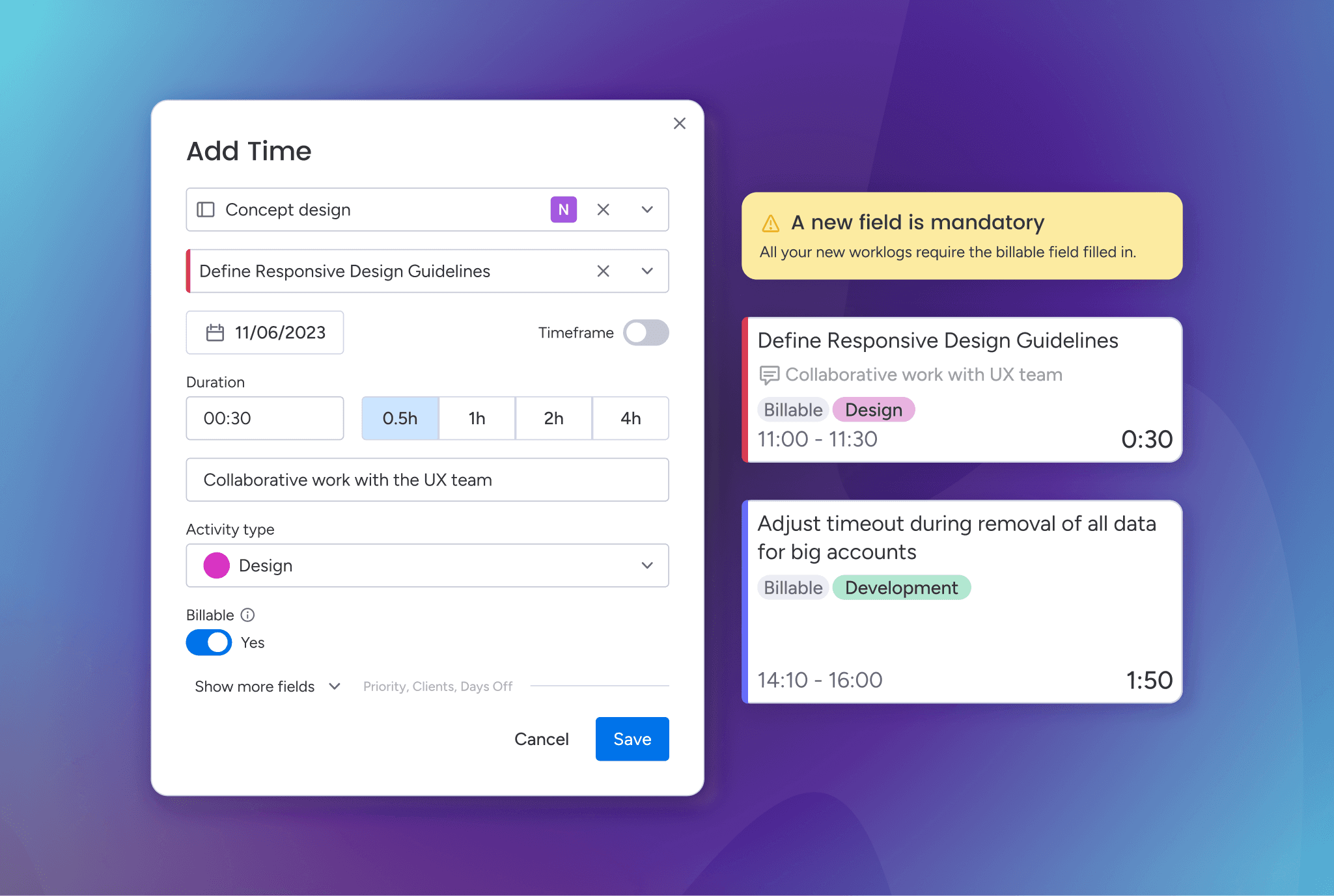
The initial direction focused on allowing managers to mark certain fields as mandatory.
To avoid overwhelming users, mandatory fields were limited to a small number.
This helped keep the add time dialog readable while still introducing structure.
Early discussions tested higher limits, but even a few extra required inputs noticeably slowed down daily logging, especially for users entering time multiple times a day.
Key refinements
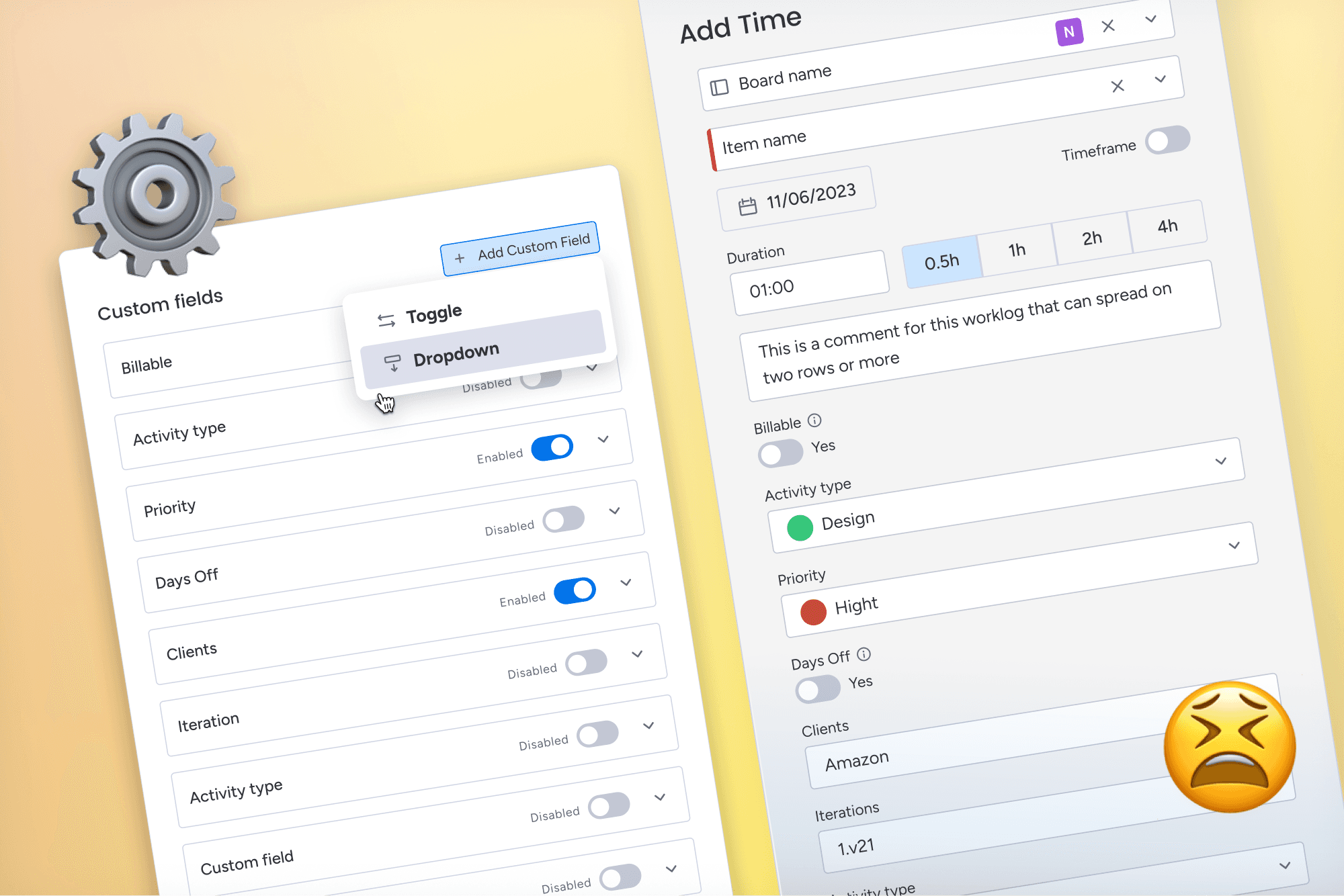
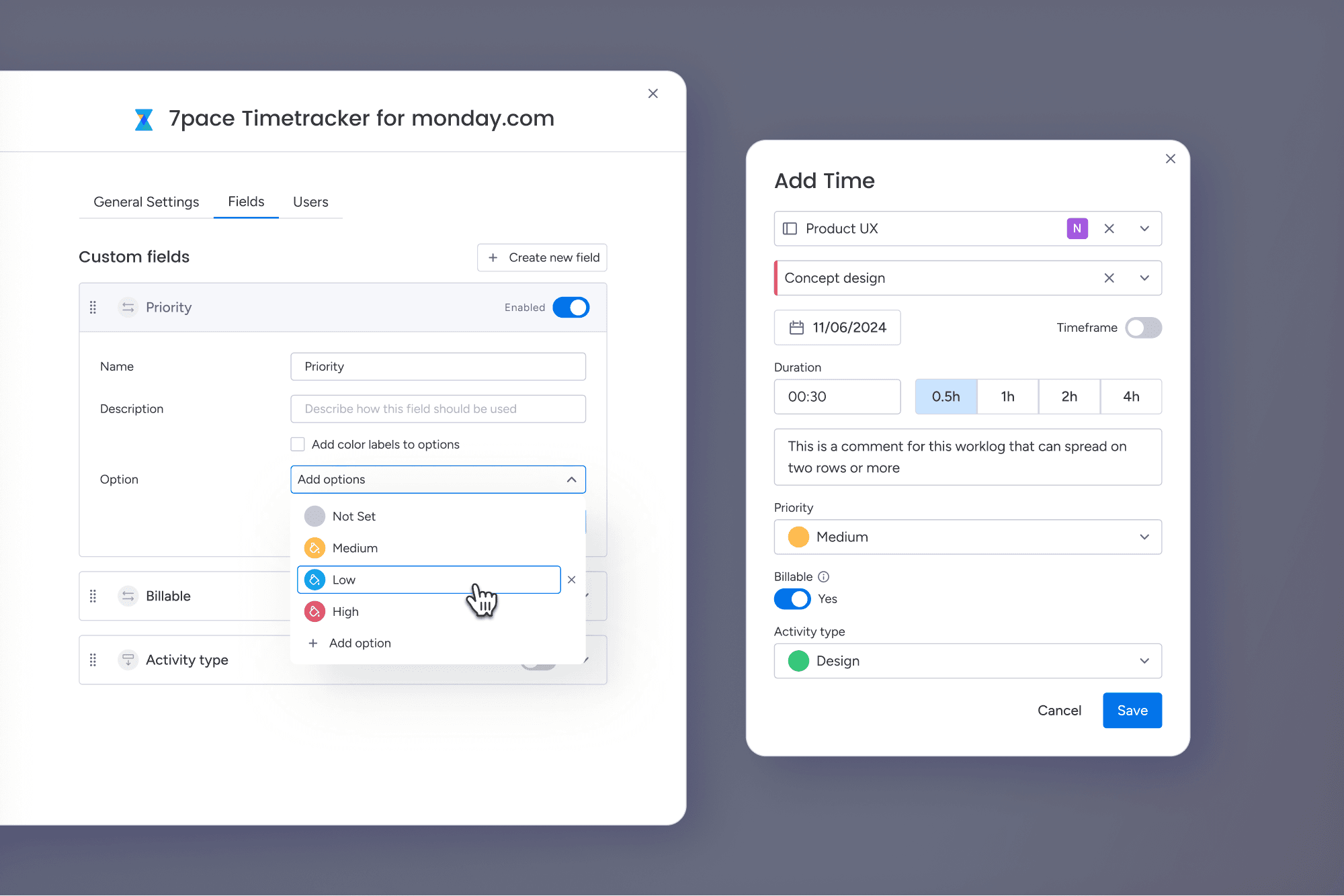
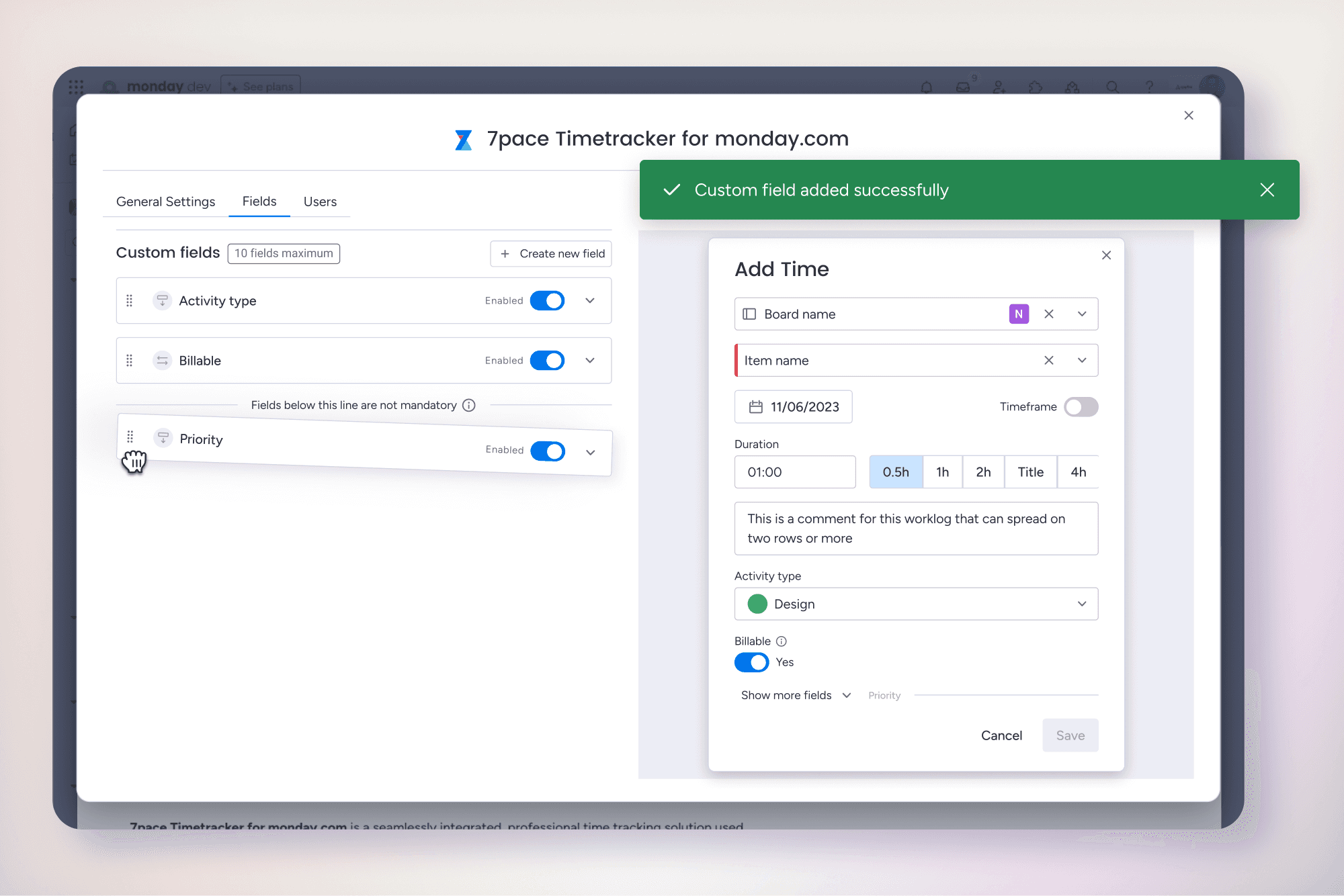
Managers can create and manage custom fields in a dedicated settings area.
A live preview shows exactly how the add time dialog will look for end users.
Two field types were introduced to match common use cases.
A toggle field for simple yes or no values such as billable status.
A dropdown field for categorization such as activity type with visual indicators.
Edge cases
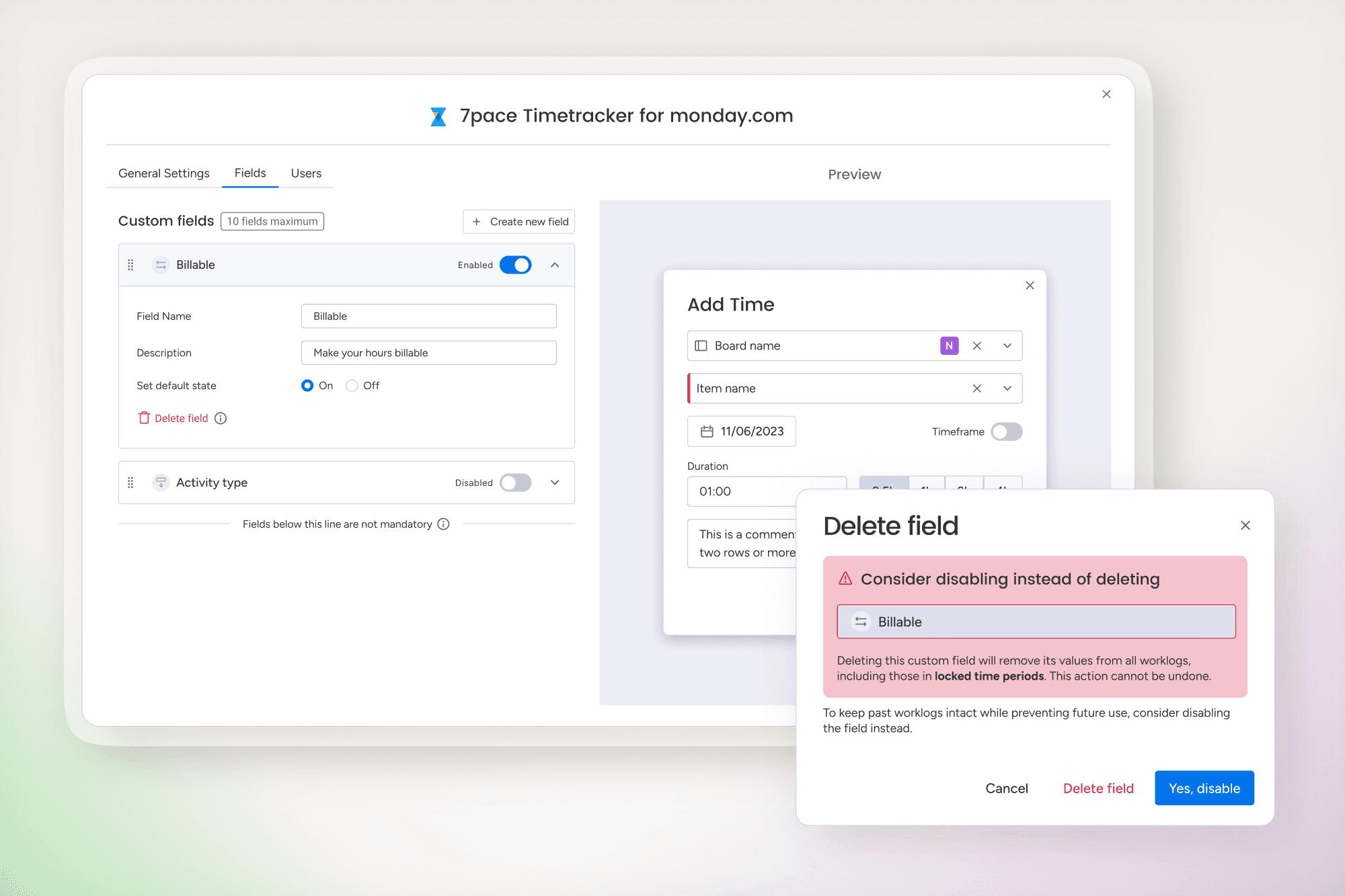
If a custom field was already used, managers were encouraged to disable it instead of deleting it.
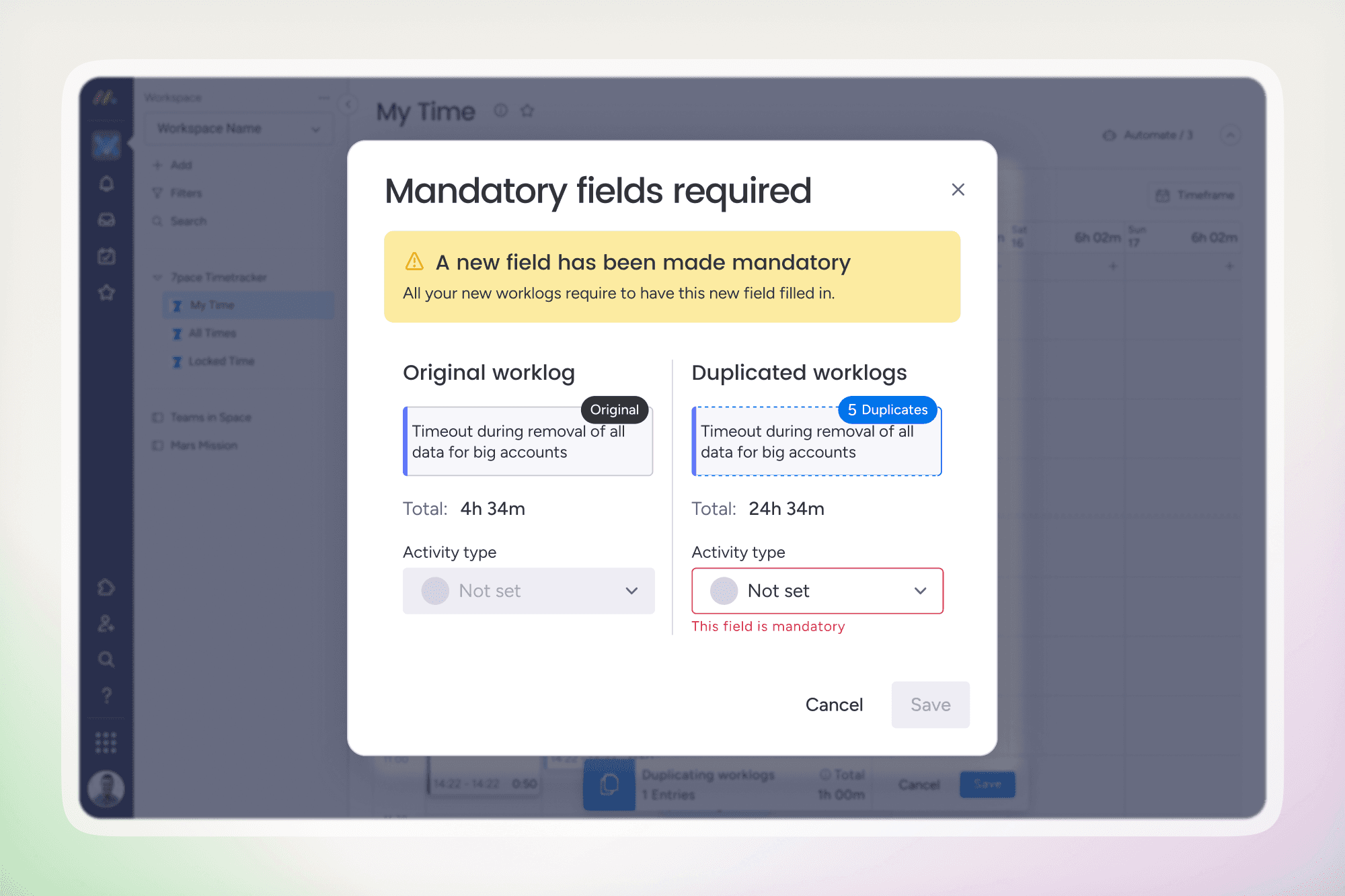
New mandatory fields did not apply retroactively to existing worklogs.
Duplicating old entries requires filling in any newly required step.
Managers now have full control over how time is categorized, with clear feedback on how their configuration affects users.
End users log time with minimal extra effort, while benefiting from clearer context in tooltips, lists, and reports.
Custom fields are consistently reflected across the add time dialog, worklog views, and the Times Explorer.
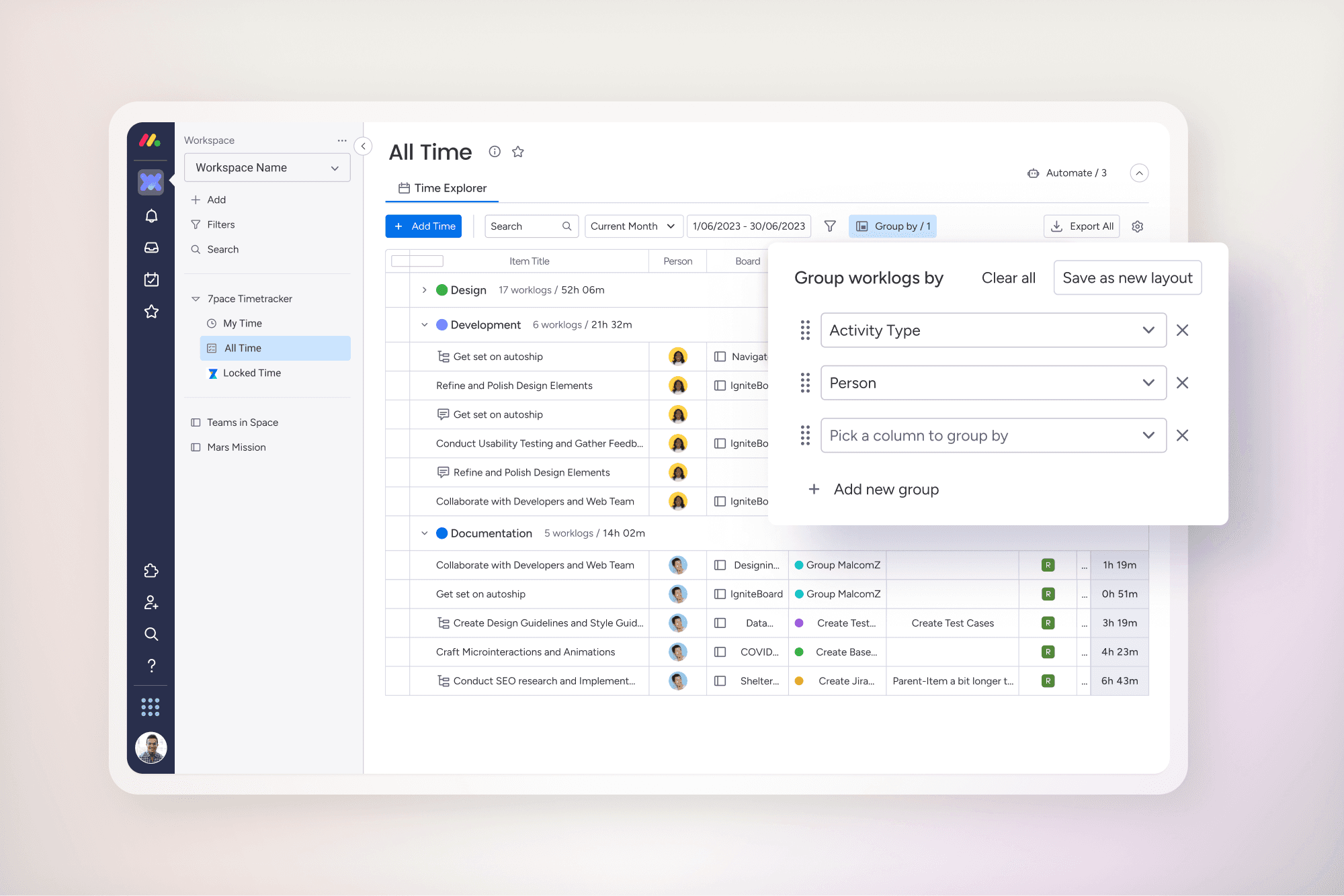
The feature enabled more detailed reporting and filtering of time data without adding friction to everyday workflows.
Teams gained clearer insights into how time was spent across projects and activities.
What this project reinforced:
Small limits can significantly improve usability in data heavy workflows.
Previewing impact builds confidence in administrative settings.
Protecting existing data is as important as enabling new capabilities.